The .Net CLI or Command Line Interface. Are a set of cross platform commands packed as a tool that come as part of the .NET Core installation.
This accomplishes that We have the same set of tools on different OS (Windows, Linux, iOS) and also to allow us to have a an easier time programming on the .Net platform when we don't have Visual Studio available.
So we can code using a lightweight IDE like Visual Studio Code, and perform otherwise complicated tasks with these tools instead of having to change everything by hand.
These sets of commands allow us to create a basic App from a number of templates, get dependencies installed, add or remove dependencies, compile and Run our Apps, etc..
For this post we will use Visual Studio Code so I can easily show you the files created.
In case you are unfamiliar of the use of Visual Studio Code you need to create a folder in which you will work and then open that folder in Visual Studio Code like this:
- Open VS Code
- Goto File > Open Folder
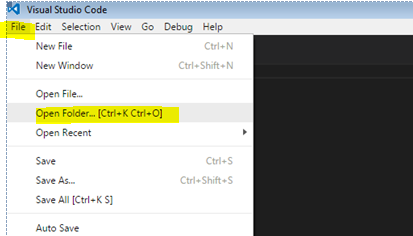
Then select your folder and click on 'Open Folder'

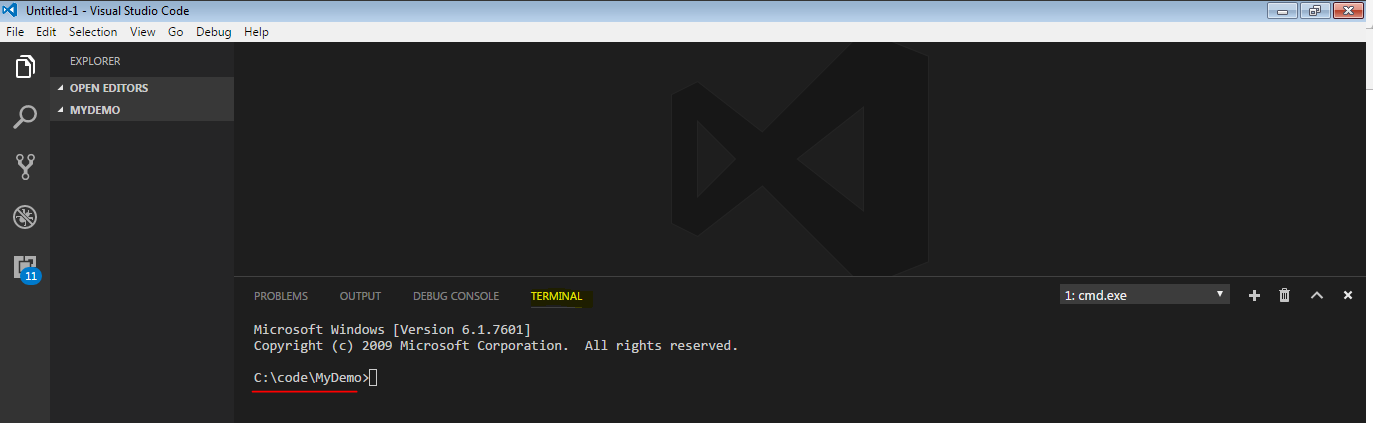
Then open the console terminal press 'ctrl + `'
And you will get the console in the lower part of your window of your VS Code: